I have worked with the Dev Ops project team to keep The BIT service up and running.
This was a struggle at times because of the documentation left to us was not the best, or maybe the documentation needed updated by a previous team that failed to do so or that the some of the steps involved have changed with updated systems.
I will work with rob over the holiday period to restore the media analytic website as this was my doing. While I may have found the problem was that I rebooted the server hoping that it would restart the system however this did not happen as it did not bring the service up. And the documentation on this on the wiki.
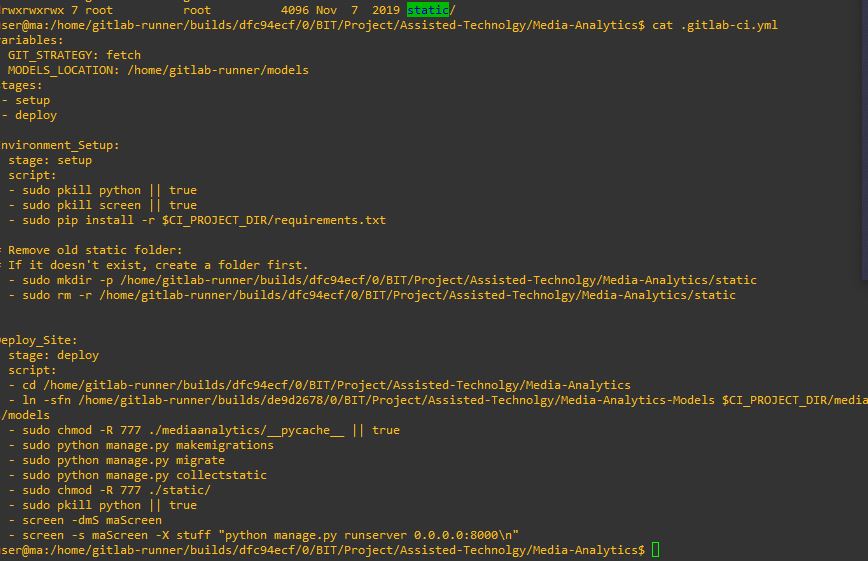 I have looked at the gitlab-ci.yml file and try and replicate the commands used to serve this site but came into trouble that the ip for the database connection was not working as it should and I showed the result to the team who then looked into other vm servers and found that in fact that it was a rogue serve as this ip address was used as a system administration assignment vm. So that seemed to be a problem but also I can’t use what was in the wiki because the gitlab.op-bit.nz site which we handle is down and can’t access it to try their fix and could not run the runner on the serve as there are certificate errors with gitlab.
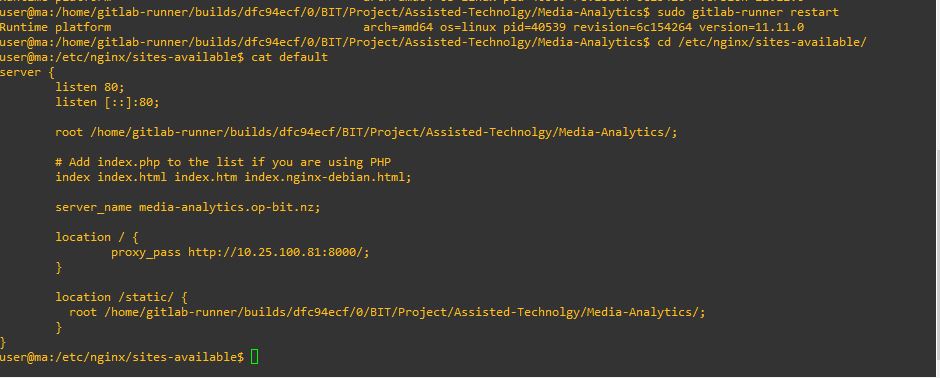 The above image show that the site runs of nginx and the location of the of it.
The ticket that David wanted was something that tracked the websites use.
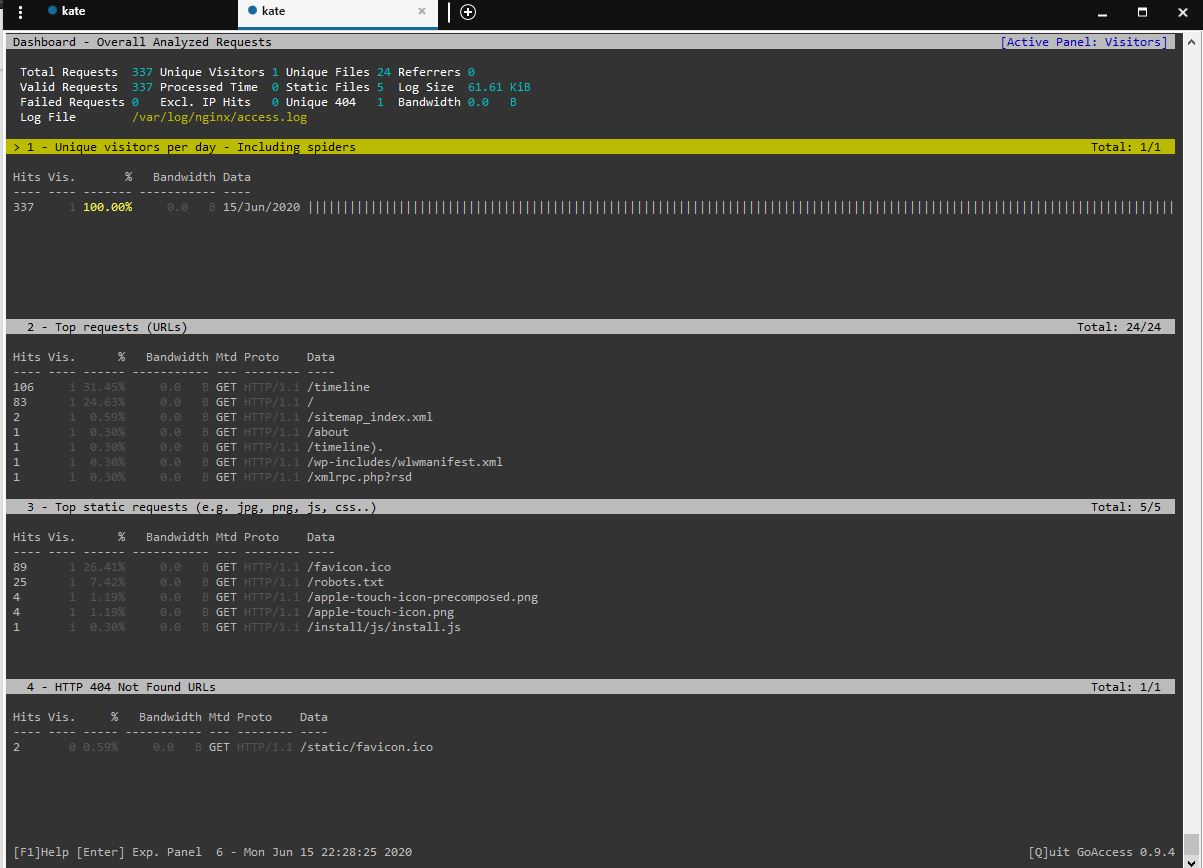 So I did some research on what programs were available on Linux/Ubuntu and I did find two options, goaccess looked better than the other so I installed it and then start to figure out how it works and it works by taking the logs of the nginx and turn it into data. The problem I did see was that it wasn’t using the amount of time I was using it or the number of request as there was no other logs for other people on the same network.
And at this point i was stuck and a team member sugested
So I did some research on what programs were available on Linux/Ubuntu and I did find two options, goaccess looked better than the other so I installed it and then start to figure out how it works and it works by taking the logs of the nginx and turn it into data. The problem I did see was that it wasn’t using the amount of time I was using it or the number of request as there was no other logs for other people on the same network.
And at this point i was stuck and a team member sugested
 This is the layout file I probably should not have added this into this here directly, thinking about it now. I did back up the ma directory in the home folder but then again this should have been done through the gitlab repository and not directly but gitlab was down and I’m not sure that was even the directory that was being served because there are instances of gitlab user and I think that’s what is being served so at the moment there is not progress on this in fact that its worse than what I started with but hopefully once gitlab is up I can get this working.
A problem is im not sure if I do have the right access/group to the vm sphere and I do not know how to access the gateway and iss server as they are windows based and the other servers are linux/ubuntu I believe which I can access with a public private key and they are located on the gitlab.com. I am a guest and can not change the wiki on the op bit platform
There was a message on Teams about a dependancy porblem
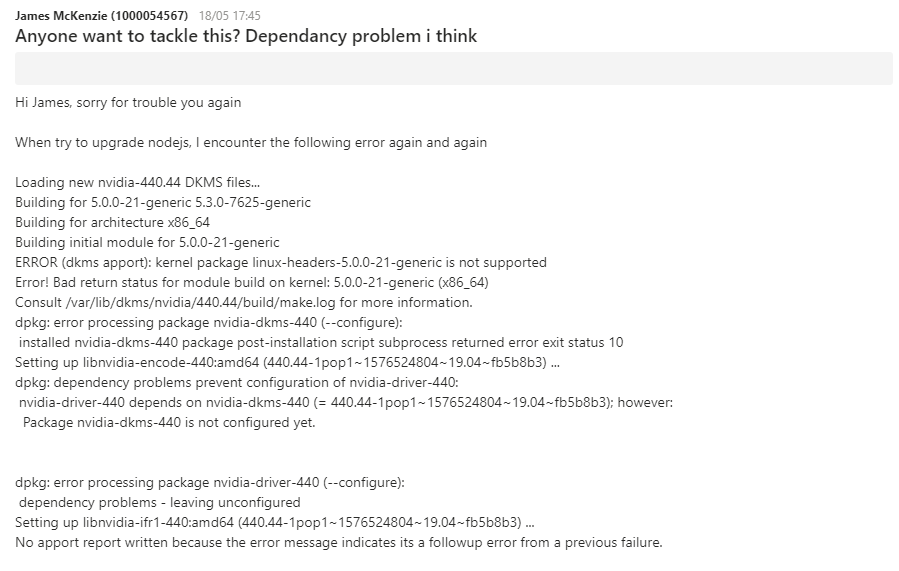 Some communication of the problem.
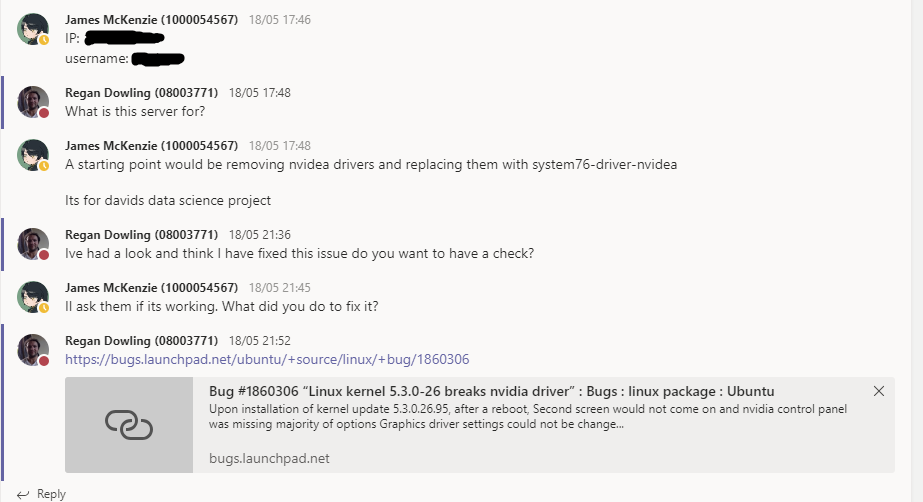 with the fix that i had researched with the problem being similar. I implemented the solution but didn’t get much feed back from the member as to if it worked or not, or if it wasn’t the correct way of fixing it. So I guess that no news is good.
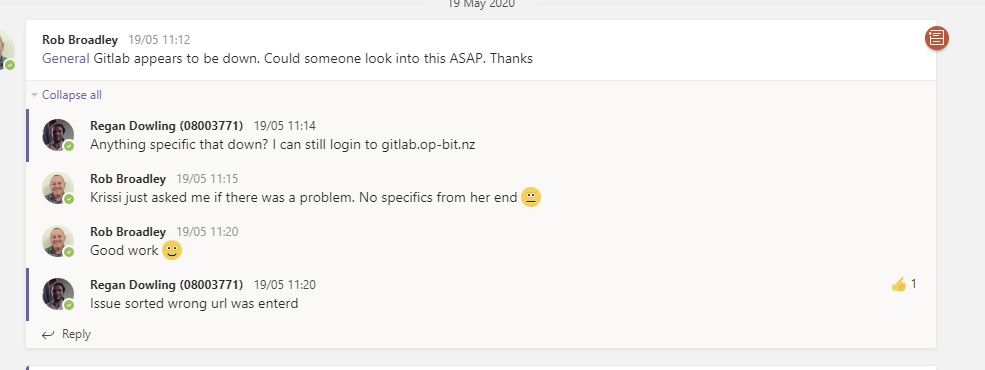 The above image is of our systems administrator giving us a problem from one of our lectures, it turns out that I had seen this, and I tried the site and it was working and I could log on with no problem so I thought what could be the problem. It was the url she had entered was wrong and it was bit-op and should have been op-bit. Problem solved quickly.
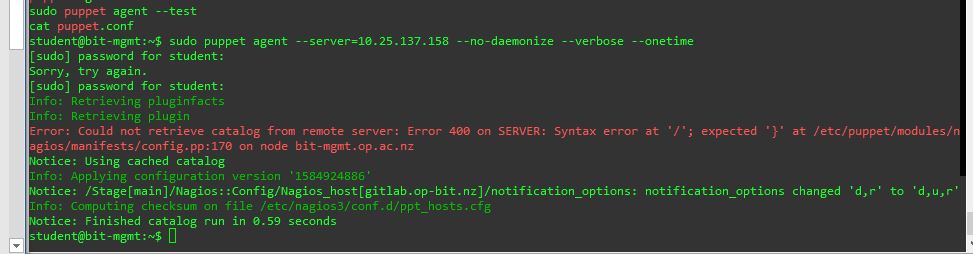
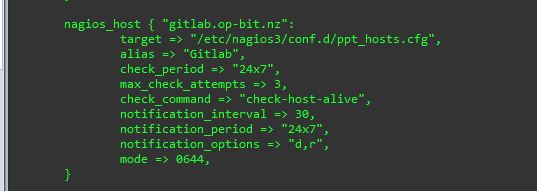 I did work on eliminating the git-lab server over notifying us with Nagios giving us tickets on something that was nothing that we could immediately change and was annoying. So, in the puppet modules for this I changed the notification option so that it wouldn’t send a notification unless it was down or recovery state and removing the unknown state has seem to fix it. But it looks like the gitlab remote checks have been disabled on this site.